
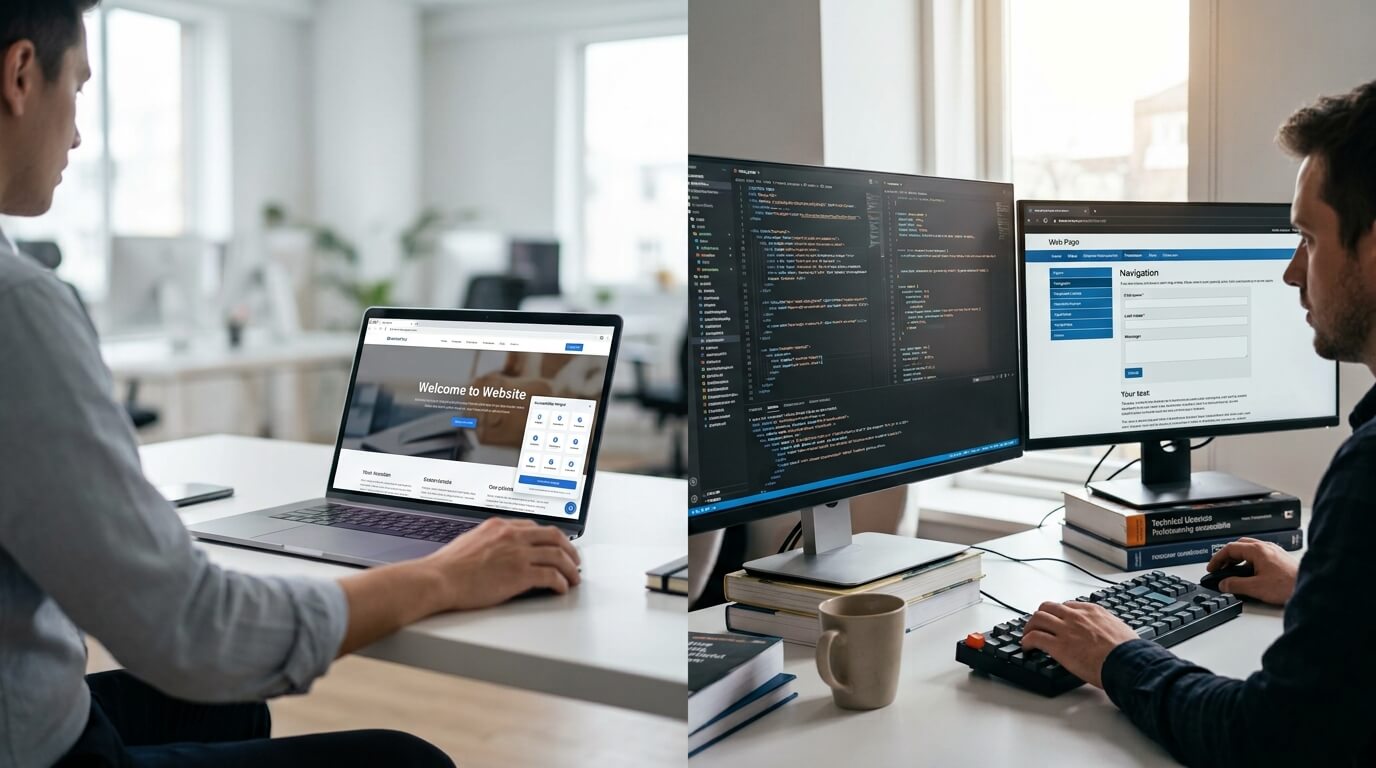
Website accessibility has become an important part of modern digital strategy. Businesses need websites usable by people with visual, auditory, motor, and cognitive disabilities, while also meeting accessibility standards such as the Web Content Accessibility Guidelines (WCAG) and legal requirements such as the Americans with Disabilities Act (ADA).
When organizations start improving accessibility, two approaches often come up: an AI accessibility widget and manual remediation. Although they are sometimes presented as competing solutions, they actually address different layers of website accessibility.
An AI accessibility widget can provide visitors with quick, user-facing accessibility controls and automated improvements. Manual remediation, on the other hand, focuses on identifying and correcting accessibility barriers in the website's underlying code, content, and structure. Industry guidance increasingly points toward using both approaches as part of a broader accessibility strategy rather than treating one as a complete replacement for the other.
For businesses looking for both options, Webmax offers an AI-powered widget alongside accessibility audits, remediation services, monitoring, and expert support. This makes it possible to address immediate user needs while also working toward deeper, long-term accessibility improvements.
What Is an AI Accessibility Widget?
An AI accessibility widget is a software-based layer that works on top of a website. It can give visitors controls that allow them to adjust aspects of their browsing experience, such as text size, contrast, focus highlighting, or other presentation preferences.
Unlike traditional development work, a widget can generally be implemented without rebuilding the website's underlying code. This makes it attractive to businesses that need to introduce accessibility features quickly.
The key benefit is speed. An accessibility widget can provide immediate user-facing assistance while a business plans or carries out more extensive accessibility improvements. Widgets are a user-facing layer that can address certain presentation and usability needs without changing the site's underlying source code.
However, businesses should understand an important limitation: a widget is not the same as fixing accessibility problems in the website's source code.
What Is Manual Accessibility Remediation?
Manual remediation involves identifying accessibility barriers and correcting them within the website itself. Developers, accessibility specialists, or other qualified professionals may need to modify HTML, CSS, JavaScript, ARIA attributes, forms, navigation, components, documents, and other elements.
For example, manual remediation may address:
- Incorrect heading hierarchy
- Missing or inappropriate ARIA attributes
- Unlabelled form fields
- Keyboard navigation problems
- Keyboard focus issues
- Inaccessible interactive components
- Incorrect semantic HTML
- Screen reader compatibility problems
- Reading-order issues
- Inaccessible PDFs and other digital documents
- Color contrast problems that require source-level changes
These are structural issues that a front-end widget cannot necessarily resolve because they exist within the website's actual code and content.
Manual accessibility work is therefore particularly important for businesses that need a deeper understanding of their website's accessibility status or have complex user journeys such as account registration, checkout, applications, dashboards, or forms.
AI Accessibility Widget vs Manual Remediation: Key Differences
The easiest way to understand the difference is to look at what each approach is designed to accomplish.
|
Factor |
AI Accessibility Widget |
Manual Remediation |
|
Primary purpose |
Improve the user-facing accessibility experience |
Correct underlying accessibility barriers |
|
Implementation |
Generally quick to deploy |
Requires technical and accessibility work |
|
Code changes |
Usually works as a separate layer |
Direct changes to website code and content |
|
User controls |
Can provide personalization options |
Depends on how the website is built |
|
Structural fixes |
Limited |
Yes |
|
Keyboard and screen reader issues |
Cannot address every underlying issue |
Can address source-level problems |
|
Speed |
Fast |
Usually takes longer |
|
Best use |
Immediate accessibility support |
Long-term accessibility improvement |
|
Ongoing role |
User support and monitoring layer |
Continuous testing, fixing, and verification |
A recent comparison of accessibility approaches similarly distinguishes widgets as fast, user-facing tools from manual audits and remediation, which provide deeper examination and source-level correction.
How an AI Accessibility Widget Can Help
One of the biggest advantages of an AI accessibility widget is that it can deliver accessibility-related functionality quickly.
For example, visitors may benefit from features that help them adjust a website's presentation or interaction to their individual needs. This can be particularly useful for people who require changes to text presentation, contrast, focus visibility, or other aspects of the interface.
A widget can also be useful for businesses that do not have a large development team. Instead of waiting for a major accessibility project to be completed, a company can introduce an accessibility layer while greater improvements are being planned.
This does not mean the widget should be viewed as a complete accessibility solution. A widget cannot automatically correct every structural problem in a website's HTML, forms, navigation, or content.
Why Manual Remediation Matters
An accessible website requires more than visible accessibility controls.
Consider a website with a navigation menu that cannot be operated properly with a keyboard. Adding an accessibility toolbar does not necessarily repair the navigation's underlying functionality.
Similarly, if a form field does not have an appropriate accessible name, if the heading hierarchy is incorrectly coded, or if a screen reader encounters a confusing reading order, these problems may require changes to the website itself.
Manual testing and remediation can examine areas that automated tools may not fully understand. These can include keyboard behavior, focus management, screen reader interaction, reading order, form usability, and important task flows.
For websites with complex functionality, manual remediation is therefore an important part of a serious accessibility program.
Is an AI Accessibility Widget Enough for WCAG Compliance?
No single accessibility tool should be treated as a guarantee of complete WCAG conformance.
An accessibility widget can contribute to a better user experience and provide useful accessibility features, but it does not automatically eliminate every accessibility barrier within a website's underlying structure.
Manual audits and remediation are important because they can identify problems that require human judgment and source-level changes. A strong accessibility process typically combines automated scanning with manual testing, remediation, and subsequent verification.
This distinction is particularly important for organizations that have formal accessibility requirements or need documented evidence of their accessibility efforts.
AI Accessibility Widget vs Manual Remediation: Which One Should You Choose?
The answer depends on the condition and complexity of your website.
Choose an AI Accessibility Widget When:
An AI accessibility widget may be a useful starting point when:
- You need accessibility improvements quickly.
- Your website is relatively simple.
- You want to provide visitors with additional accessibility controls.
- Your development team has limited availability.
- You need an accessibility support layer while planning deeper remediation.
- You want ongoing accessibility monitoring or user-facing features.
For smaller websites, a widget can provide a practical way to begin addressing accessibility without waiting for a large development project. However, it should be viewed as part of a broader strategy rather than a replacement for remediation.
Choose Manual Remediation When:
Manual remediation becomes especially important when:
- Your website has significant structural accessibility problems.
- Your site contains complex forms or interactive components.
- Keyboard navigation does not work properly.
- Screen reader users encounter barriers.
- Your website contains complex checkout or account flows.
- You need a detailed accessibility audit.
- You need to identify root causes rather than surface-level issues.
- You want accessibility improvements incorporated into the website's development process.
For larger and more complex websites, beginning with an audit can help organizations understand which barriers require the most attention.
Why a Hybrid Accessibility Strategy Makes Sense
The biggest mistake businesses can make is assuming they have to choose between an AI accessibility widget and manual remediation. In reality, the two approaches can complement one another. A practical accessibility strategy can follow this sequence:
- Scan and audit the website: Start by identifying accessibility issues and determining which pages, templates, components, and user journeys require attention.
- Prioritize serious barriers: Focus on problems that can prevent users from navigating, completing forms, making purchases, accessing content, or completing other important tasks.
- Perform manual remediation: Correct underlying issues within the website's code, content, and components.
- Add an AI accessibility widget: Use a widget as an additional user-facing layer that provides accessibility controls and supports different user preferences.
- Continue monitoring: Accessibility should not be considered a one-time project. Website updates, new content, redesigns, and third-party integrations can flag new accessibility issues.
This hybrid model reflects the approach recommended by accessibility guidance that treats widgets as a supportive layer while using audits and remediation to address deeper accessibility barriers.
How Webmax Supports Both AI Widget and Manual Remediation
One of the strongest reasons to consider Webmax is that businesses do not necessarily have to choose between automated accessibility technology and professional remediation.
Webmax provides an AI-powered Webmax Widget for quick accessibility improvements and also offers a broader accessibility solution that includes detailed audits, remediation, ongoing support, and updates.
Webmax AI Accessibility Widget
The Webmax Widget is designed to provide an AI-powered accessibility layer that can be integrated into a website quickly. Webmax describes the widget as an AI-powered solution for making websites more accessible and supporting ADA and WCAG accessibility requirements.
This can be useful for businesses that want to provide accessibility support without undertaking an immediate full-scale development project.
Webmax also states that its widget offers easy installation and automated accessibility enhancements. Its solution is positioned as a practical option for businesses looking for quick accessibility improvements.
Webmax Accessibility Audits
Webmax also provides a more comprehensive accessibility approach for organizations that need deeper analysis. Its process begins with entering a website domain, followed by a detailed accessibility audit that provides accessibility results and a compliance score. Businesses can then use the findings to determine which solutions are appropriate for their website.Webmax's accessibility checker can identify issues such as:
- Missing alt text
- Poor color contrast
- Incorrect heading structures
- Missing ARIA labels
- Unlabelled form fields
- Potential keyboard navigation issues
- Other technical accessibility concerns
Automated scanning is useful for establishing a baseline, but Webmax also emphasizes the importance of broader accessibility testing and remediation rather than relying on automated testing alone.
Webmax Manual Remediation Services
For businesses with more complicated accessibility requirements, Webmax offers custom accessibility audits and remediation services.
According to Webmax, its broader Accessibility Solution can provide detailed website audits, custom remediation plans, ongoing support, and updates. This is particularly useful for organizations that need to address accessibility issues at a deeper level instead of simply adding a user-facing widget.
Webmax's website also identifies remediation as a key accessibility service after accessibility issues have been identified. Its broader service offering includes audits, user testing, training, ongoing support, and remediation.
That combination can be valuable because accessibility remediation is rarely a one-time task. Websites continuously change, and new content, features, plugins, integrations, and design updates can create new accessibility barriers.
Webmax Can Combine Automation With Human Expertise
Another important advantage of Webmax is its focus on combining technology with accessibility expertise.
Webmax states that its accessibility services include expert support and ongoing evaluation. Its accessibility statement also describes a commitment to continuous testing and involvement from accessibility professionals, including users of assistive technologies.
This is important because automated tools are efficient at identifying many common technical problems, while human evaluation can provide valuable insight into how people actually experience a website.
The result is a more balanced accessibility strategy:
AI widget + automated scanning + expert testing + manual remediation + ongoing monitoring
Rather than treating any single technology as a complete answer, this approach addresses different parts of the accessibility lifecycle.
Webmax vs Choosing Only One Approach
If a business uses only an AI accessibility widget, it may gain useful user-facing accessibility features but still have unresolved structural problems.
If a business relies exclusively on manual remediation, it may correct significant source-level issues but miss opportunities to provide additional personalization and accessibility controls for visitors.
Webmax's combined approach can help address both situations.
Its AI-powered widget can provide a quick accessibility layer, while its audit and remediation services can help organizations identify, prioritize, and address deeper accessibility issues. Webmax also offers ongoing support, which can help businesses maintain accessibility as their websites evolve.
Ending Remarks
The debate over AI accessibility widget vs manual remediation should not be viewed as a simple choice between two competing technologies.
An AI accessibility widget can provide fast, user-facing accessibility support. Manual remediation addresses the underlying problems within a website's code, content, structure, and functionality. Each has a different role.
For businesses serious about creating a more accessible website, a combined strategy is often more practical. Start with an accessibility scan or audit, identify and prioritize barriers, remediate important structural issues, provide users with helpful accessibility features, and continue monitoring the website over time.
Webmax can support this broader strategy by offering both an AI-powered accessibility widget and custom accessibility audits and remediation services. Its combination of automated tools, accessibility testing, remediation support, and ongoing services makes it a practical option for businesses that want to move beyond a single accessibility tool and build a more sustainable accessibility program.
Frequently Asked Questions
Is an AI accessibility widget better than manual remediation?
Ans: Neither is universally better. An AI accessibility widget is useful for fast, user-facing accessibility support, while manual remediation addresses underlying website issues. For many organizations, combining both approaches provides broader coverage.
Can an accessibility widget fix website code?
Ans: A typical accessibility widget works as a layer over the website and does not replace the need to correct underlying source-code problems. Issues involving semantic HTML, heading structure, forms, keyboard behavior, and screen reader compatibility may require manual remediation.
Does Webmax offer both an accessibility widget and remediation?
Ans: Yes. Webmax offers an AI-powered widget for quick accessibility improvements as well as an Accessibility Solution that includes detailed audits, custom remediation plans, ongoing support, and updates.
How do I start improving my website accessibility with Webmax?
Ans: Webmax provides a free website accessibility scan. You can enter your public website URL to receive accessibility results and identify areas that may require improvement. From there, you can use the Webmax Widget for quick accessibility support or explore its broader accessibility solution for audit and remediation needs.
Can accessibility remediation be a one-time project?
Ans: Remediation can resolve existing issues, but accessibility should be treated as an ongoing process. Website updates can introduce new barriers, so continuous testing, monitoring, and maintenance are important for long-term accessibility.